Managing Multiple Koi Ponds: How KoiQuanta Handles Multi-Pond Operations
Running more than one koi pond is rewarding and complicated. Hobbyists with multiple ponds spend 40% of their management time cross-referencing records that KoiQuanta consolidates in a single dashboard. That's time you'd rather spend at the pond instead of at a desk.
No competitor supports proper multi-pond management in a single account. KoiQuanta's multi-pond dashboard gives you complete visibility across every pond you manage, with separate profiles, individual alert settings, and dedicated treatment logs for each.
TL;DR
- Hobbyists with multiple ponds spend 40% of their management time cross-referencing records that KoiQuanta consolidates in a single dashboard.
- A health alert from Pond 2 doesn't hide under the parameter logs from Pond 1.
- Dosing a 1,500-gallon pond with the amount calculated for a 500-gallon pond can kill fish.
- Hobbyists with 2-4 ponds, dealers with 5-15 koi quarantine program bays, and breeding operations with 20+ grow-out ponds all use the multi-pond system.
- KoiQuanta scales from two-pond hobbyist setups to dealer operations with 15 or more quarantine bays plus display ponds.
How Multi-Pond Management Works in KoiQuanta
Each pond you manage gets its own profile. That profile contains:
- Pond volume and construction details
- Water source type and baseline chemistry
- Filtration equipment specifications
- Individual fish inventory linked to that pond
- Parameter logs and trend charts
- Treatment records and medication history
- Alert thresholds calibrated for that pond specifically
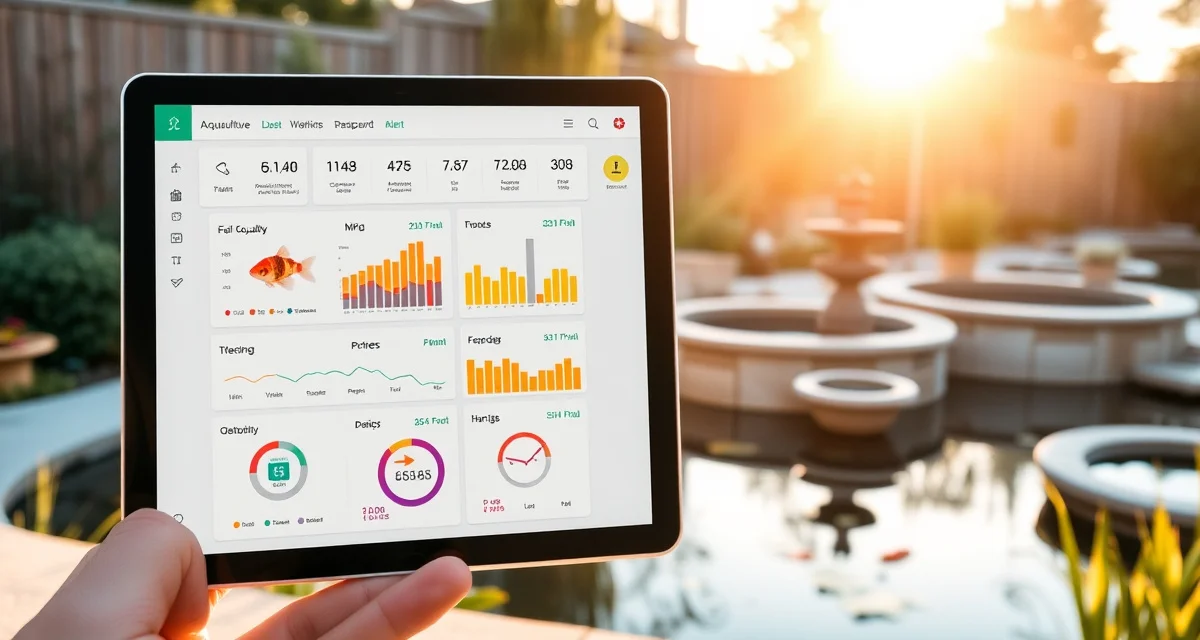
From the multi-pond dashboard, you see all your ponds simultaneously. A health alert from Pond 2 doesn't hide under the parameter logs from Pond 1. Every pond's status is visible at a glance, with color-coded indicators showing which ponds need attention and which are stable.
Setting Up Your Second and Third Ponds
Adding additional ponds after your initial setup takes about five minutes per pond. From the dashboard, select "Add Pond" and work through the same profile fields you completed during onboarding.
You don't need to re-enter fish information from other ponds. Each pond maintains its own inventory. If a fish moves from the display pond to the quarantine tank (which might be treated as a separate pond profile), you transfer it in the system rather than deleting and re-adding it.
The koi quarantine software handles this transfer workflow automatically. A fish's health history travels with it regardless of which pond it currently lives in.
Alert Management Across Multiple Ponds
This is where multi-pond management gets tricky without software. Different ponds have different water chemistry baselines. A pH alert threshold that's appropriate for a heavily planted garden pond isn't right for a bare liner koi pond with heavy stocking.
KoiQuanta lets you set independent alert thresholds for each pond. Your quarantine tank might have tighter ammonia alerts than your established display pond, because a new uncycled quarantine tank is more prone to spikes. Your outdoor summer pond might have lower dissolved oxygen alert thresholds than your indoor facility.
The multi-pond alert feed aggregates all active alerts into a single prioritized view, sorted by urgency. You don't need to check each pond individually to know what needs attention.
Treatment Tracking Across Ponds
Medication management across multiple ponds is where the most dangerous errors occur. Dosing a 1,500-gallon pond with the amount calculated for a 500-gallon pond can kill fish. Treating Pond B with the medication meant for Pond A is easier to do than you'd think when records are scattered.
KoiQuanta links every treatment record to a specific pond. The dose calculator pulls the correct pond volume automatically. You can't accidentally cross-apply a pond's treatment record to another pond.
For dealers managing multiple quarantine bays alongside display ponds, this isolation of treatment records is critical. The koi dealer fish lot management features work alongside multi-pond management to keep import lot records separate from display inventory records.
Fish Movements Between Ponds
Serious hobbyists move fish between ponds regularly: from grow-out ponds to display ponds, from display to quarantine when disease appears, from quarantine back after treatment. Each movement should be logged for health history continuity.
In KoiQuanta, fish transfers are recorded as events in the fish's individual record. When you move a fish from your display pond to isolation, the system marks the fish as transferred and opens a new location entry in its history. The water quality conditions of the receiving pond at the time of transfer are recorded automatically, so you have full context if a health event follows.
How Many Ponds Can KoiQuanta Manage?
There's no hard limit to the number of ponds in a single KoiQuanta account. Hobbyists with 2-4 ponds, dealers with 5-15 quarantine bays, and breeding operations with 20+ grow-out ponds all use the multi-pond system.
The dashboard scales to display as many ponds as you manage. You can sort ponds by name, last activity, alert status, or pond type. For large operations, filtering by pond type lets you see only quarantine tanks or only display ponds, depending on what you're working on.
Common Multi-Pond Management Errors That KoiQuanta Prevents
Applying one pond's treatment calculation to a different pond. Fixed by dose calculator being pond-specific.
Forgetting which pond had its last water test and when. Fixed by per-pond testing reminders.
Losing track of a quarantined fish's treatment schedule when managing other ponds simultaneously. Fixed by the unified quarantine timeline view.
Missing a parameter alert from one pond because you were focused on another. Fixed by the prioritized multi-pond alert feed.
Not knowing which pond contributed a disease event that spread to another. Fixed by pond-linked disease event logs and transfer history.
Frequently Asked Questions
Can KoiQuanta manage more than one koi pond?
Yes. KoiQuanta supports unlimited ponds in a single account. Each pond has its own profile with separate volume, filtration, fish inventory, parameter logs, treatment records, and alert settings. All ponds appear in a unified multi-pond dashboard that aggregates health alerts and status indicators so you can see everything at once without switching between separate accounts or spreadsheets. Adding a new pond takes about five minutes through the Add Pond workflow.
How many ponds can I manage in one KoiQuanta account?
There's no maximum. KoiQuanta scales from two-pond hobbyist setups to dealer operations with 15 or more quarantine bays plus display ponds. The dashboard handles any number of pond profiles. For large operations, pond filtering lets you view specific categories (quarantine tanks, display ponds, grow-out ponds) independently. You can also set up team access for dealer operations where multiple staff members manage different pond areas under a single account.
How do I see all my ponds at once in KoiQuanta?
The multi-pond dashboard is your default home view after initial setup. It shows all your ponds as cards, each displaying the pond name, current alert status, last parameter test date, and any active treatments. A top-level alert feed lists all outstanding alerts from all ponds in priority order. You can click into any individual pond for detailed charts and records, or work entirely from the dashboard for routine daily monitoring. No competitor offers this kind of consolidated multi-pond visibility in a single interface.
What is Managing Multiple Koi Ponds: How KoiQuanta Handles Multi-Pond Operations?
Managing multiple koi ponds with KoiQuanta means running every pond you own from a single dashboard instead of juggling separate spreadsheets, notebooks, or apps. Each pond gets its own profile with individual parameter logs, alert settings, and treatment records. KoiQuanta consolidates what hobbyists typically spend 40% of their management time cross-referencing, so you can monitor water quality, track fish health, and log dosing across all ponds without losing data between them.
How much does Managing Multiple Koi Ponds: How KoiQuanta Handles Multi-Pond Operations cost?
KoiQuanta's multi-pond management is included as part of the standard KoiQuanta subscription. There is no separate tier or add-on fee to manage additional ponds. Whether you run two backyard ponds or a dealer operation with 15 or more quarantine bays, the same account covers all of them. Check KoiQuanta.com for current pricing plans and any applicable limits on pond count per subscription level.
How does Managing Multiple Koi Ponds: How KoiQuanta Handles Multi-Pond Operations work?
KoiQuanta works by giving each pond its own dedicated profile within your account. You log water parameters, fish records, and treatments per pond. The unified dashboard displays all ponds simultaneously, so a health alert from Pond 2 surfaces clearly rather than getting buried under Pond 1's parameter history. Dosing calculators use each pond's specific volume, preventing dangerous errors like applying a 1,500-gallon dose to a 500-gallon pond.
What are the benefits of Managing Multiple Koi Ponds: How KoiQuanta Handles Multi-Pond Operations?
The core benefit is time saved and errors avoided. Multi-pond keepers reclaim roughly 40% of the management time previously spent cross-referencing records. Individual alert settings per pond mean nothing gets missed. Accurate per-pond dosing calculations protect fish from overdosing. Treatment logs stay separate so quarantine records never mix with display pond records. Everything is accessible from one login rather than scattered across multiple tools.
Who needs Managing Multiple Koi Ponds: How KoiQuanta Handles Multi-Pond Operations?
Anyone managing more than one koi pond benefits from KoiQuanta's multi-pond system. This includes hobbyists with two to four backyard ponds, serious enthusiasts running dedicated quarantine setups alongside display ponds, dealers managing five to fifteen quarantine bays, and breeding operations with twenty or more grow-out ponds. If you currently cross-reference records between ponds manually, KoiQuanta is built specifically for your situation.
How long does Managing Multiple Koi Ponds: How KoiQuanta Handles Multi-Pond Operations take?
Setup takes minutes per pond. You create a profile, enter the pond's volume and basic details, and start logging. Ongoing management time depends on how many ponds you run, but the dashboard is designed to reduce total time spent, not add to it. Hobbyists report getting back roughly 40% of their previous record-keeping time. Daily check-ins across multiple ponds can realistically be completed in a single session.
What should I look for when choosing Managing Multiple Koi Ponds: How KoiQuanta Handles Multi-Pond Operations?
Look for true per-pond isolation of alerts, logs, and dosing calculations. A system that mixes data across ponds creates the exact problem you're trying to solve. Confirm the platform scales to your current pond count and has room to grow. Check whether treatment logs and quarantine records can be kept fully separate. KoiQuanta is currently the only platform built specifically around multi-pond operations rather than adapting a single-pond tool.
Is Managing Multiple Koi Ponds: How KoiQuanta Handles Multi-Pond Operations worth it?
For anyone managing two or more koi ponds, yes. The risk of a dosing error alone justifies using a system with per-pond volume-based calculations. Beyond safety, recovering 40% of management time adds up quickly across a season. No competing platform offers dedicated multi-pond management in a single account. If your current system involves any manual cross-referencing between ponds, KoiQuanta solves a real, recurring problem with a purpose-built tool.
Related Articles
Sources
- Associated Koi Clubs of America (AKCA)
- Koi Organisation International (KOI)
- University of Florida IFAS Extension Aquaculture Program
- Fish Vet Group
- Water Quality Association