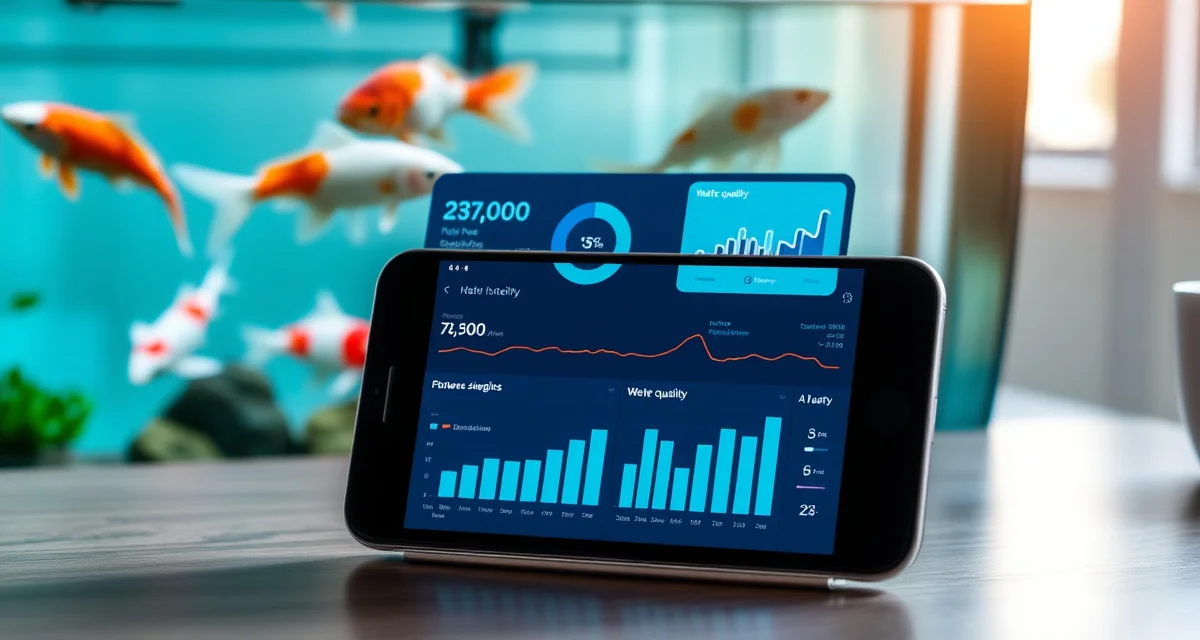
Koi Health Tracking App Comparison: Phones, Software, and Web Tools
Koi hobbyists who use structured digital tracking detect disease outbreaks an average of 4 days earlier than paper log users. Four days is the difference between catching an infection at a surface lesion and dealing with a systemic bacterial spread.
This koi health tracking app comparison evaluates what's actually available across iOS, Android, and desktop, and separates the tools built for koi ponds from the ones that just happen to work for fish.
TL;DR
- Your koi pond might be 2,000 to 10,000 gallons.
- That cross-platform continuity matters in practice: you're not locked to a laptop when you're standing at the pond at 7 AM.
- At $200+/mo, the pricing reflects its clinic audience.
- If you're entering 4,000 gallons and the app starts glitching, it's not built for you.
- Seasonal changes require adjusted monitoring schedules; automated reminders help maintain consistency.
TL;DR: Which App Should You Use?
| Platform | Best For | iOS | Android | Desktop | Price |
|---|---|---|---|---|---|
| KoiQuanta | Hobbyists + dealers | Yes | Yes | Yes | $39/mo |
| KoiLogic | Casual hobbyists | No | No | Yes | $29/mo |
| Aquarium Note | Aquarium hobbyists | Yes | Yes | Limited | Free |
| AquaticVet | Vet clinics | Yes | Yes | Yes | $200+/mo |
| Spreadsheets | DIY | Manual | Manual | Yes | Free |
The Core Problem With Generic Aquarium Apps
Generic aquarium apps require fish tank setups and can't handle pond volumes or koi-specific diseases. This isn't a minor inconvenience: it's a fundamental design mismatch.
When an aquarium app asks for your "tank size," it's thinking in gallons up to a few hundred at most. Your koi pond might be 2,000 to 10,000 gallons. When it asks for your fish species, koi may not even be in the dropdown. And when it comes to disease tracking, the pathogens that kill koi, including Costia, Koi Herpesvirus, and Aeromonas ulcer disease, aren't in the reference libraries.
Using an aquarium app for a koi pond is like tracking your marathon training in a cycling app. The structure is wrong from the start.
KoiQuanta: Best Koi Health Tracking App Overall
KoiQuanta is purpose-built for pond koi, available on iOS, Android, and desktop, and designed so that dealers can log treatments pond-side on mobile and review compliance records on desktop. That cross-platform continuity matters in practice: you're not locked to a laptop when you're standing at the pond at 7 AM.
What KoiQuanta tracks:
- Individual fish health logs with photo attachments
- Water quality parameters with trend charting
- Treatment logs with dose calculations built in
- Quarantine protocols with automated step scheduling
- Compliance records for dealer import documentation
On mobile: The iOS and Android apps are optimised for pond-side use. Quick-log functions let you add a water test result or treatment note in seconds. Full features are available on mobile: you're not limited to a reduced version.
On desktop: The full dashboard with trend charts, compliance export, and detailed reporting is best on desktop. Dealers typically do compliance review and audit preparation at a desk; mobile is for the pond.
Who it's for: Serious hobbyists, anyone regularly treating fish, dealers and importers.
KoiLogic: Desktop Health Log
KoiLogic is desktop-only. If mobile access is a priority, that's a disqualifier. For hobbyists who manage their records at a computer and don't need pond-side mobile logging, the desktop-only format is workable.
The platform does health and water quality logging well. It doesn't do dose calculations, quarantine automation, or compliance reporting.
Who it's for: Casual hobbyists comfortable with desktop-only access and minimal treatment activity.
Aquarium Note (iOS/Android)
Aquarium Note is a popular free app with a large user base in the freshwater aquarium hobby. It's well-designed for what it does: tracking multiple fish tanks, logging water tests, and keeping species records.
It is not built for koi ponds. Pond volumes, koi diseases, and koi-specific treatment compounds aren't native to the platform. You can force it to work, but you'll constantly be working around its assumptions.
Who it's for: Freshwater aquarium hobbyists who want a free mobile option.
AquaticVet Mobile
AquaticVet has mobile apps that connect to its clinical software platform. They're well-made apps, but they're designed for veterinarians logging patient visits, not hobbyists tracking a garden pond.
At $200+/mo, the pricing reflects its clinic audience. For hobbyists, the price and the complexity are both unjustifiable.
Who it's for: Aquatic veterinary practices.
What to Look for in a Koi Health App
Pond-Scale Volume Handling
The app needs to work with your actual pond volume. If you're entering 4,000 gallons and the app starts glitching, it's not built for you.
Koi-Specific Disease Library
Koi get different diseases than goldfish, tetras, or marine fish. Your app's disease reference should include Koi Herpesvirus, Aeromonas, Columnaris, anchor worm, white spot, Costia, and the other pathogens that specifically affect koi.
Dose Calculation With Safety Checking
The most dangerous moment in koi keeping is calculating a treatment dose. An app that calculates the dose AND checks it against the safe range for that compound at your current water temperature is saving you from a potentially lethal error.
True Mobile + Desktop Parity
You should be able to log at the pond and review at your desk without losing features. Apps that are mobile-only or desktop-only create gaps in your workflow.
Does KoiQuanta Have a Mobile App?
Yes. KoiQuanta has native iOS and Android apps alongside its full desktop web interface. All features are available on mobile: you're not using a cut-down version. Treatment logs, dose calculators, health records, and water quality logging all work on mobile. Compliance reports and detailed trend charts are best reviewed on desktop, but the data entry happens wherever you are.
Can I Track Multiple Ponds in the Same App?
Yes, in KoiQuanta. Multi-pond management is a standard feature, and each pond maintains its own water quality history, fish records, treatment logs, and quarantine protocols. This is particularly useful for dealers managing separate display, quarantine, and holding systems, and for hobbyists with multiple garden ponds.
Does KoiQuanta have a mobile app?
Yes. KoiQuanta has full-featured iOS and Android apps. You can log water tests, add treatment records, view fish health histories, and run dose calculations from your phone. The mobile app is designed for pond-side use, with quick-log functions that take seconds. Compliance reports and trend charts render better on desktop, but all data entry works fully on mobile.
Can I track multiple ponds in the same app?
Yes, in KoiQuanta. You can add unlimited pond profiles under a single account, each with its own fish records, water quality history, treatment logs, and quarantine protocols. Switching between ponds takes one tap. KoiLogic does not support multiple pond profiles at the standard plan level. Generic aquarium apps handle multiple "tanks" but aren't calibrated for pond volumes.
Is there a koi health app for Android?
KoiQuanta has a full Android app with the same feature set as the iOS version. It's available on the Google Play Store and includes all core features: health logging, water quality tracking, dose calculators, quarantine protocol management, and compliance record access. Generic aquarium apps like Aquarium Note also have Android versions but aren't designed for pond koi management.
Related Articles
- Koi Management Software for Ghost Koi Owners: Hybrid Health Tracking
- Koi Management Software for Ogon Owners: Metallic Koi Health Tracking
FAQ
What is Koi Health Tracking App Comparison: Phones, Software, and Web Tools?
A koi health tracking app comparison evaluates the digital tools available for monitoring pond fish across iOS, Android, and desktop platforms. It reviews apps like KoiQuanta, KoiLogic, Aquarium Note, and AquaticVet, assessing their features for water parameter logging, disease detection, and fish health records. The goal is to help hobbyists and dealers identify which software is purpose-built for koi ponds versus general aquarium use, so they can choose a tool that matches their pond size, budget, and monitoring needs.
How much does Koi Health Tracking App Comparison: Phones, Software, and Web Tools cost?
Pricing varies significantly across platforms. KoiQuanta is priced at $39/month and covers hobbyists and dealers. KoiLogic costs $29/month but is desktop-only. Aquarium Note offers a free tier with limited desktop support. AquaticVet starts at $200+ per month, reflecting its clinic-focused audience. Spreadsheet-based tracking is free but requires manual setup. Most paid platforms offer cross-device access, automated reminders, and data history, making the monthly cost worthwhile for serious koi keepers managing large or multiple ponds.
How does Koi Health Tracking App Comparison: Phones, Software, and Web Tools work?
Koi health tracking apps work by letting you log water parameters, fish behavior, feeding schedules, treatments, and health observations over time. You enter data via your phone or desktop after pond checks, and the app stores a timestamped history. Some platforms send automated reminders for seasonal monitoring adjustments. By comparing trends across entries, the software helps you detect anomalies early. Studies show structured digital tracking can identify disease outbreaks an average of four days sooner than paper logs.
What are the benefits of Koi Health Tracking App Comparison: Phones, Software, and Web Tools?
The primary benefit is early disease detection. Digital tracking allows you to spot trends before they become crises, giving you days of lead time to intervene. Additional benefits include cross-platform access so you can log data from your phone at the pond and review it on desktop later, automated reminders for consistent monitoring routines, and structured records useful when consulting a vet. For dealers, health logs also build buyer confidence and support responsible fish sales.
Who needs Koi Health Tracking App Comparison: Phones, Software, and Web Tools?
Koi hobbyists managing ponds of 2,000 gallons or more benefit most from dedicated tracking apps, especially those with multiple fish or a history of health issues. Koi dealers need structured records to document fish provenance and treatment history. Serious enthusiasts who monitor water chemistry regularly will find automated reminders and trend analysis valuable. Even beginners benefit from the discipline a structured app provides, since consistent logging habits established early lead to better long-term pond health outcomes.
How long does Koi Health Tracking App Comparison: Phones, Software, and Web Tools take?
Setting up a koi health tracking app typically takes 15 to 30 minutes for initial configuration, including entering pond volume, fish inventory, and baseline water parameters. Daily or weekly logging takes just a few minutes per session. The ongoing time investment is low, but consistency matters more than frequency. Seasonal setup adjustments, such as changing monitoring schedules for winter slowdowns or spring spawning, may require an additional session each quarter to reconfigure reminders and baselines.
What should I look for when choosing Koi Health Tracking App Comparison: Phones, Software, and Web Tools?
Look for a platform built specifically for koi or pond fish rather than general aquarium software. Key features include support for large pond volumes without performance issues, cross-platform access across iOS, Android, and desktop, water parameter logging with historical trend views, and automated reminders for seasonal schedule changes. Pricing should match your use case; clinic-grade tools like AquaticVet are overkill for hobbyists. Ease of data entry at the pond, not just at a desk, is also a practical consideration.
Is Koi Health Tracking App Comparison: Phones, Software, and Web Tools worth it?
For serious koi keepers, a dedicated tracking app is worth the investment. Catching a disease outbreak four days earlier can mean the difference between a surface lesion and a systemic infection that costs far more to treat or results in fish loss. At $39/month, KoiQuanta offers hobbyist and dealer features with full cross-platform access. Free tools like spreadsheets work but require discipline and lack automated reminders. If you own valuable koi or manage a dealer operation, structured digital tracking pays for itself quickly.
Sources
- Associated Koi Clubs of America (AKCA)
- Koi Organisation International (KOI)
- University of Florida IFAS Extension Aquaculture Program
- Fish Vet Group
- Water Quality Association
Find the Right App for Your Pond
See the full koi pond software comparison or go straight to the KoiQuanta vs KoiLogic head-to-head.
Try KoiQuanta on iOS, Android, or desktop, free for 14 days.